
Articles
How to set up SurveyDesk specs with Agent On Rails
Use the full SurveyDesk product story (local-first, native operators, anonymous Next.js web, language-neutral OpenAPI/SQLite API with a Python reference, FormSpec, brand, non-goals, demo) as gather input. Confirm the outline, and Agent On Rails writes the reference specs pack before any coding agent touches apps/.
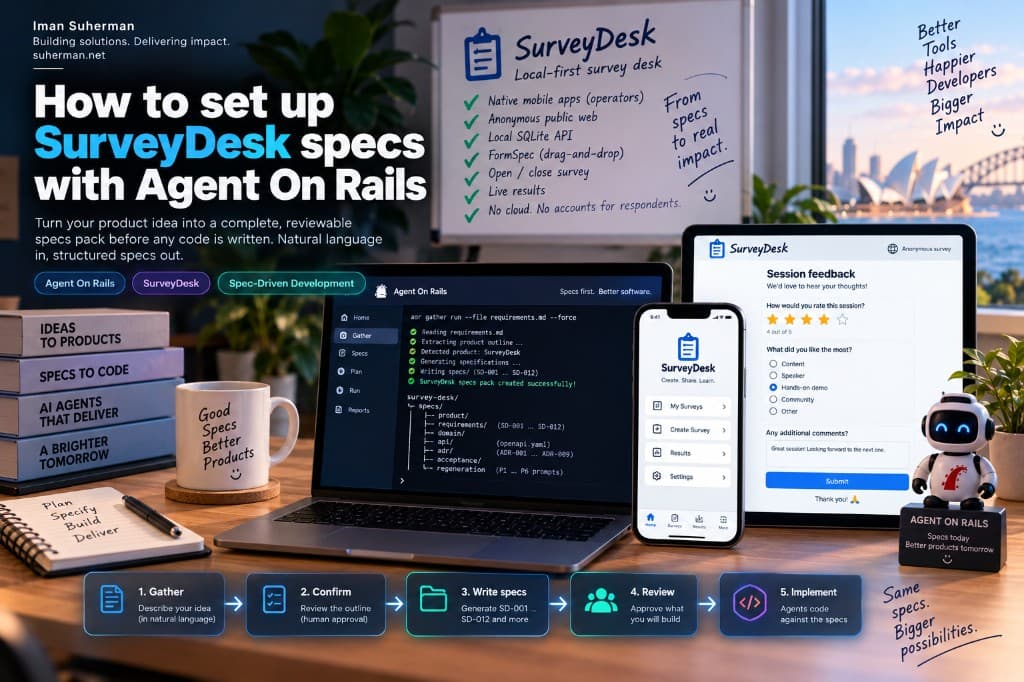
SurveyDesk is our reference Spec-Driven product: native iOS/Android operators, anonymous public web, a language-neutral local OpenAPI + SQLite API (Python reference; Java welcome), and FormSpec as the form contract. The hard part is not naming folders — it is getting a complete, reviewable specs tree before anyone opens Cursor. Agent On Rails now does that from natural language.
Loading diagram…
What you will get
When the pasted text describes SurveyDesk (local-first survey desk, FormSpec, native mobile operators, anonymous web), Agent On Rails writes the same reference pack as the SurveyDesk exemplar — not sentence-split stub files.
Loading diagram…
- specs/product — vision, personas, brand, demo journey
- specs/requirements — SD-001 … SD-012 SHALL contracts
- specs/domain — survey, FormSpec, response, lifecycle, results
- specs/api/openapi.yaml — local /v1/surveys draft
- specs/adr — ADR-001 … ADR-009 (monorepo, SQLite, anonymous web, mobile, …)
- specs/acceptance — Gherkin features
- specs/regeneration — P1–P6 prompts + contracts so another agent can rebuild
1. Install Agent On Rails
You need Python 3.11+ and the aor CLI. The fastest path on a Mac is the signed setup app from https://agent-on-rails.suherman.net — drag Agent On Rails into Applications, open it, and let the wizard install aor.
Or install from the terminal:
pipx install git+https://github.com/agent-on-rails/agent-on-rails-cli.git
aor --version
2. Bootstrap a control-plane folder
Agent On Rails keeps docs and specs in a contract folder — not in the app repo. Init creates AGENTS.md, product/, specs/, adr/, policies/, and plans/. No apps/ yet.
aor init ./survey-desk --name SurveyDesk
cd survey-desk
From the desktop wizard: choose a folder, enter SurveyDesk as the product name, then continue to Gather. The wizard runs aor init for you before extract.
3. Gather from natural language
This is the SurveyDesk product story we use as the gather input. Save it as requirements.md (or paste it into the desktop wizard), then run aor gather. When the text matches SurveyDesk like this, Agent On Rails writes the full reference pack — not sentence-split stubs.
Build a product called SurveyDesk: a local-first survey desk. No cloud tenant, no login for respondents.

Operators use native mobile apps only (Swift + SwiftUI on iPhone and iPad Simulator; Kotlin + Jetpack Compose on Android phone and tablet Emulator). They create surveys, drag-and-drop reorder form fields, open (start) and close (end) collection, copy a public URL, and watch results refresh within 2 seconds. Operator UI is English. iPad and Android tablet use a left sidebar + detail; phones use a stack. Block FormSpec edits while a survey is open.

Respondents use a public React + Next.js web app. Anonymous — no account. They fill an open survey at /s/{publicSlug} and see a thank-you state. Optional public live results when showPublicResults is true.

Local HTTP JSON API (default 127.0.0.1:8787) over SQLite (./data/survey-desk.sqlite). Reference implementation: Python 3.11+ FastAPI (language-neutral OpenAPI — Java or any language welcome). Lifecycle: draft → open → closed. Reject submit unless open; reject FormSpec patch while open; close rejects further responses.

Form fields: short_text, long_text, single_choice, multi_choice, rating_1_5, yes_no.

Brand: primary #0878F8, ink #001838, green #10A868, purple #7828F8, rating gold #F8B000. Transparent logo in chrome, not an opaque JPG plate.

Non-goals: multi-tenant SaaS, SSO, email invites, SurveyMonkey parity, complex branching, payments, file uploads, non-English UI.

Demo: create “Session feedback”, add rating + single choice + short text, open, anonymous web submit, instant results, close, further submit rejected.
Then gather (optional LLM; --stub works offline for the same reference pack when the NL is SurveyDesk-like):
# Optional: OpenAI-compatible endpoint (omit + use --stub offline)
export AOR_LLM_BASE_URL=https://ai.dentalimplantsandveneers.com.au/v1
export AOR_LLM_API_KEY=…

# Save the story above as requirements.md, then:
aor gather run --file ./requirements.md --force
# shows outline → type y to confirm → writes specs/

# Same story, offline:
aor gather run --stub --force --file ./requirements.md
Loading diagram…
- 01Extract an outline (product name, vision, requirement titles, ADRs).
- 02Human confirms or edits the outline — nothing is written yet.
- 03On confirm, write the SurveyDesk reference pack under specs/.
- 04Overlay specs/regeneration/source-requirements.md with the captured NL.
In the desktop wizard the same loop is visual: paste the story above → Extract outline → Confirm & write drafts. Use --force (default on in the wizard) if you are replacing an earlier stub pack.
4. Check the tree
ls specs/product specs/requirements specs/domain specs/api specs/adr specs/acceptance specs/regeneration
ls specs/requirements
# SD-001-product-surfaces.md … SD-012-acceptance.md
You should see twelve SD-* requirement files with real titles (Product surfaces, Local-first, Form Spec, …) — not fragments like “called SurveyDesk: a”. That mismatch was the stub bug; current gather ships the reference pack for SurveyDesk-like NL.
5. Approve before agents implement
Drafts are not authority yet. Open aor (TUI), review SD-001…SD-012 and the ADRs, then approve the specs you are ready to build. Only then plan → run → hand a bounded task to Cursor / Claude / Codex.
Loading diagram…
- aor — open the terminal UI
- Review specs → Approve (human only)
- Plan the approved spec → Run → implement in a sibling app repo
- Evidence + human final review before done
Why SurveyDesk is the template
Other products still get SurveyDesk-shaped layouts from gather — same folders, generated drafts. SurveyDesk itself is special-cased because we already proved the full pack: FormSpec domain, mobile operator UX contracts, regeneration prompts P1–P6. That is the shape we want every serious SDD project to start from.
- Product site + downloads: https://agent-on-rails.suherman.net
- Setup docs: https://agent-on-rails.suherman.net/docs
- Related: Spec-Driven Development on this site — https://suherman.net/articles/spec-driven-development
- Related: Agent On Rails escalation & watchdog — https://suherman.net/articles/agent-on-rails-escalation-watchdog
Bottom line: do not hand a coding agent a blank SurveyDesk idea. Install Agent On Rails, init a contract folder, gather the SurveyDesk story, confirm the outline, and keep the reference specs pack as authority. Approve what you will build. Then — and only then — let agents implement against SD-001…SD-012.