Articles
Make Ollama actually code with OpenCode
Chat models suggest text. Coding agents need a tool-capable model, a large context window, and the right OpenCode provider config. Here is the full setup flow.
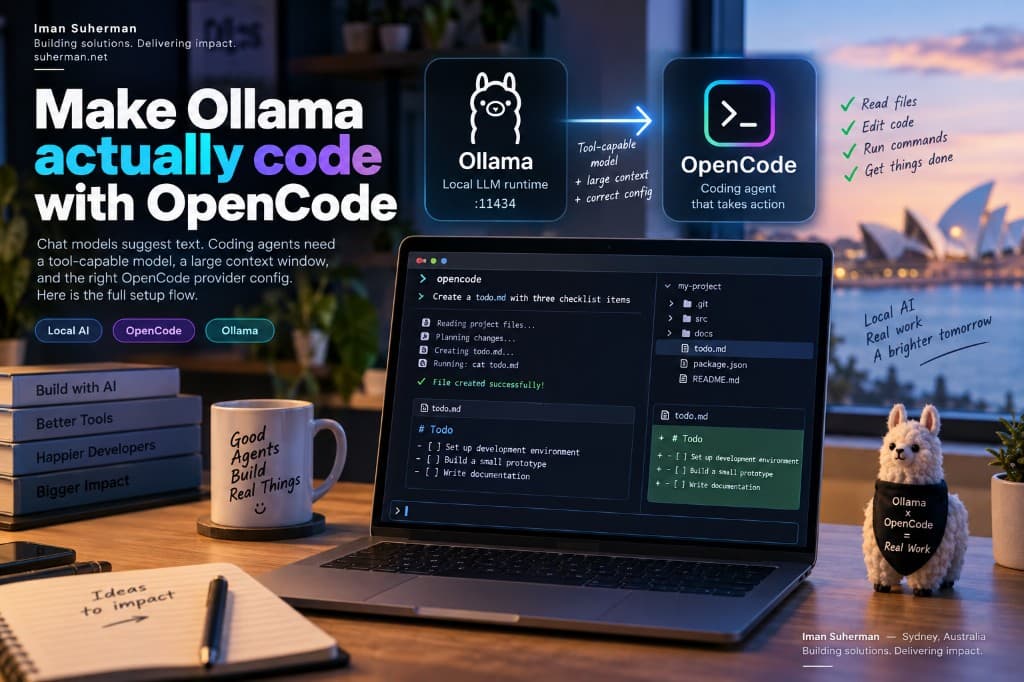
If you installed Ollama on your Mac, opened OpenCode, and the AI only suggests wording instead of editing files or running commands, you are not missing a hidden “coding mode” toggle. The usual cause is a mismatch between a small chat model, a tiny context window (~3–4k tokens), and what a coding agent actually needs.
Chat vs coding agent
Ollama alone is a model runtime. In the chat UI it answers questions. OpenCode is different: it is an agent that must read your repo, propose edits, write files, and run shell commands. That requires models trained (or tuned) for tool use, plus enough context to hold system prompts, file contents, and tool results in one session.
Loading diagram…
- Chat model (for example a small general Qwen 3.x / 7–9B): great for Q&A and short suggestions.
- Coding model (for example qwen2.5-coder or qwen3-coder): better at structured edits and following agent tool schemas.
- Context ~3.6k: enough for a short reply; not enough for “read these files and change the project”.
- Context 32k–64k+: room for agent instructions + several source files + tool output.
End-to-end flow
Loading diagram…
- 01Ollama runs locally on :11434 (loopback).
- 02Pull a coding-capable model and raise num_ctx (Modelfile or OLLAMA_CONTEXT_LENGTH).
- 03OpenCode talks to Ollama’s OpenAI-compatible API at http://127.0.0.1:11434/v1.
- 04You select provider/model in OpenCode and ask it to change code in a project folder.
- 05The agent reads files → plans → calls tools (edit / shell) → verifies.
1. Install the pieces
- Install Ollama from https://ollama.com and confirm it is running.
- Install OpenCode (curl installer or npm global package).
- Optional shortcut: ollama launch opencode — Ollama can wire a model into OpenCode for you.
# Install OpenCode
curl -fsSL https://opencode.ai/install | bash

# Or:
# npm install -g opencode-ai

# Quick path with Ollama's helper
ollama launch opencode
2. Pull a coding model (not only a chat model)
On a typical Mac, start with a coder variant that still fits in memory. Larger is smarter; smaller is faster. Prefer models that advertise tools / coding in the Ollama library.
# Examples — pick one that fits your RAM
ollama pull qwen2.5-coder:7b
# or
ollama pull qwen3-coder:30b   # needs more memory

# Confirm the model is local
ollama list
ollama show qwen2.5-coder:7b3. Raise context (the fix for ~3.6k)
OpenCode talks to Ollama over the OpenAI-compatible endpoint. That path does not let the client set num_ctx per request, so you must bake a larger window into the model (or set a server default).
Option A — custom Modelfile (recommended)
cat > Modelfile <<'EOF'
FROM qwen2.5-coder:7b
PARAMETER num_ctx 65536
EOF

ollama create qwen-coder-64k -f Modelfile
ollama show qwen-coder-64k
If 64k is too heavy for your machine, try 32768 first. Stay at or below the model’s trained maximum shown by ollama show.
Option B — server default
# Example for a dedicated ollama serve process
OLLAMA_CONTEXT_LENGTH=65536 ollama serve

# Interactive one-off (then /save a named model)
ollama run qwen2.5-coder:7b
# >>> /set parameter num_ctx 65536
# >>> /save qwen-coder-64k
4. Configure OpenCode
Create or edit ~/.config/opencode/opencode.json (global) or opencode.json in a project root. OpenCode does not auto-discover every Ollama model — list the ones you want explicitly.
{
  "$schema": "https://opencode.ai/config.json",
  "model": "ollama/qwen-coder-64k",
  "provider": {
    "ollama": {
      "npm": "@ai-sdk/openai-compatible",
      "name": "Ollama (local)",
      "options": {
        "baseURL": "http://127.0.0.1:11434/v1"
      },
      "models": {
        "qwen-coder-64k": {
          "name": "Qwen Coder 64k"
        },
        "qwen2.5-coder:7b": {
          "name": "Qwen2.5 Coder 7B"
        }
      }
    }
  }
}- baseURL must include /v1 when using @ai-sdk/openai-compatible.
- No API key is required for local Ollama.
- Default model format is provider/model-id, for example ollama/qwen-coder-64k.
5. Run and verify
cd ~/path/to/your-project
opencode

# Or with Ollama's launcher
ollama launch opencode

# Smoke test: ask the agent to create a real file
opencode run "Create todo.md with three checklist items" --model ollama/qwen-coder-64k
Loading diagram…
Success looks like file changes on disk and shell commands in the agent transcript — not only a markdown code block in the chat. If you only get suggested snippets, switch model, raise context, and confirm /v1 in baseURL.
Hardware reality check
- 8–16 GB unified memory: favour 7B coder + 16k–32k context first.
- 24 GB+: 14B / 30B coder variants and 64k become more practical.
- Oversized num_ctx can thrash memory and feel slower than a smaller, working window.
Troubleshooting checklist
Loading diagram…
- Model is a general chat small model → pull a *-coder* (or known tool-capable) model.
- Context ~3–4k → create a Modelfile with num_ctx 32768 or 65536.
- baseURL missing /v1 → OpenCode may call the wrong endpoint.
- Model not listed in opencode.json → it will not appear in the picker.
- Ollama not running → curl http://127.0.0.1:11434/api/tags should succeed.
Related links
- Ollama × OpenCode integration: https://docs.ollama.com/integrations/opencode
- OpenCode providers: https://opencode.ai
- Hosted Ollama AI gateway on this stack: https://ai.suherman.net (API keys + chat; separate from your local OpenCode setup).
Bottom line: OpenCode will not “become a coder” by itself. Point it at a coding-capable Ollama model, give that model enough context, and wire the OpenAI-compatible /v1 endpoint. Then the agent can edit the project instead of only suggesting text.